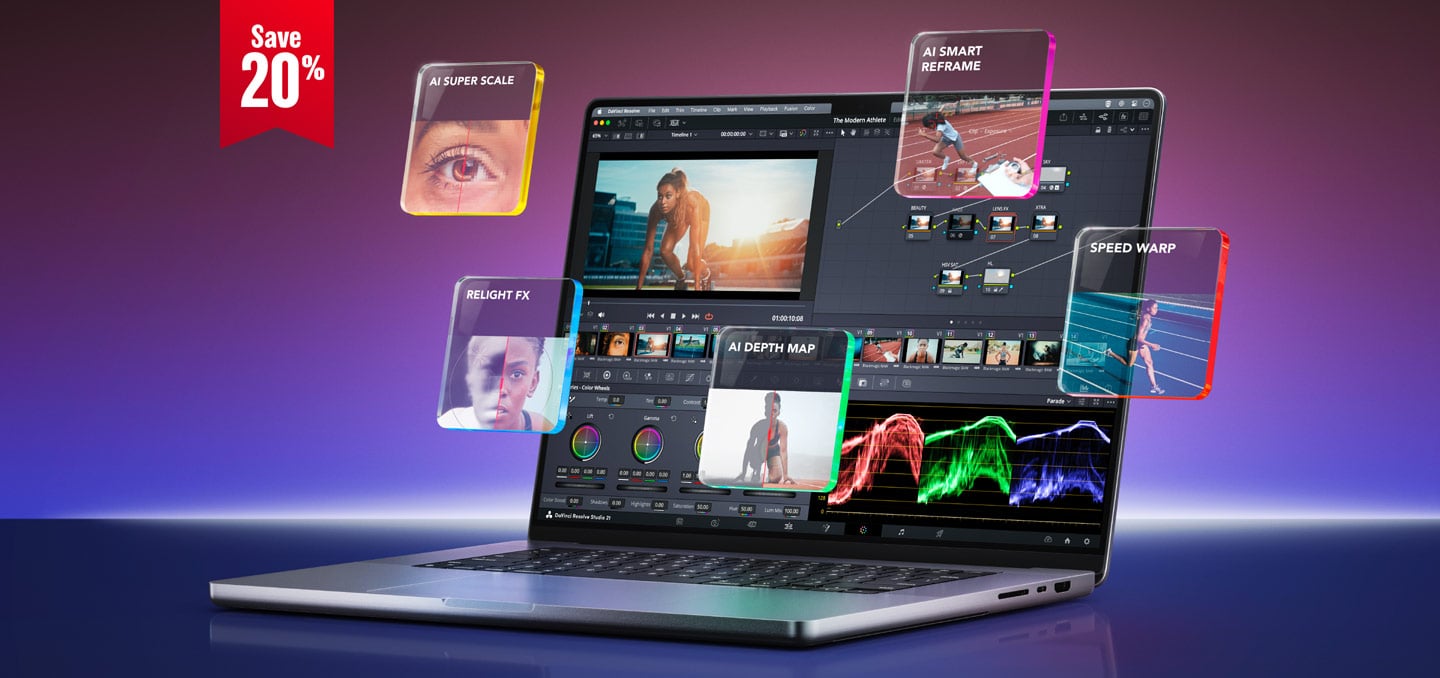





For most photographers, DaVinci Resolve has been “that video program.”
It’s the editing and color app from Blackmagic Design, and it’s what a lot of Hollywood colorists use to grade movies. We cut The LuLa Report in it every week.
Now it edits your photos too. And through November 20, the paid version, DaVinci Resolve Studio, is 20% off.
The Deal
Blackmagic dropped Resolve Studio from $295 to $236, according to Blackmagic Design. That’s a one-time purchase, no subscription. The sale runs through Friday, November 20, at Blackmagic resellers.
The editing keyboards and color panels are 20% off too, while stocks last, as Newsshooter reported. The Speed Editor drops from $395 to $316.
Here’s how that stacks up. Adobe’s Photography Plan runs about $120 a year. Resolve Studio at $236 is about two years of that, and then it’s yours.
What The Photo Page Does
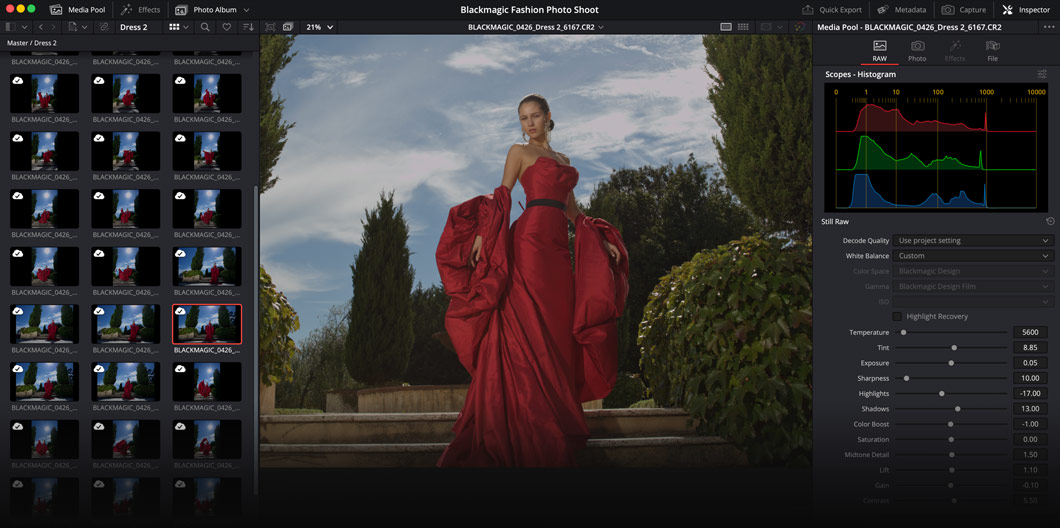
Resolve 21 added a brand new Photo page this year. Here’s what you get:
- RAW files. Canon, Nikon, Fujifilm, Sony, iPhone ProRAW, DNG, and Blackmagic RAW stills, per ProVideo Coalition
- Albums. Sort each shoot into albums, a lot like Lightroom collections
- Culling. Star ratings, flags, and color labels, plus a Lightbox view for picking your selects
- Hollywood color. Send any photo to the Color page for curves, color wheels, qualifiers, power windows, and nodes
- Looks and LUTs. Resolve FX, third-party OpenFX plug-ins, and LUTs all work on stills
- Tethering. Shoot tethered from Sony and Canon cameras, with control of ISO, exposure, and white balance
- Lightroom import. Resolve can bring in your Lightroom catalog’s albums and metadata, according to PhotoWorkout
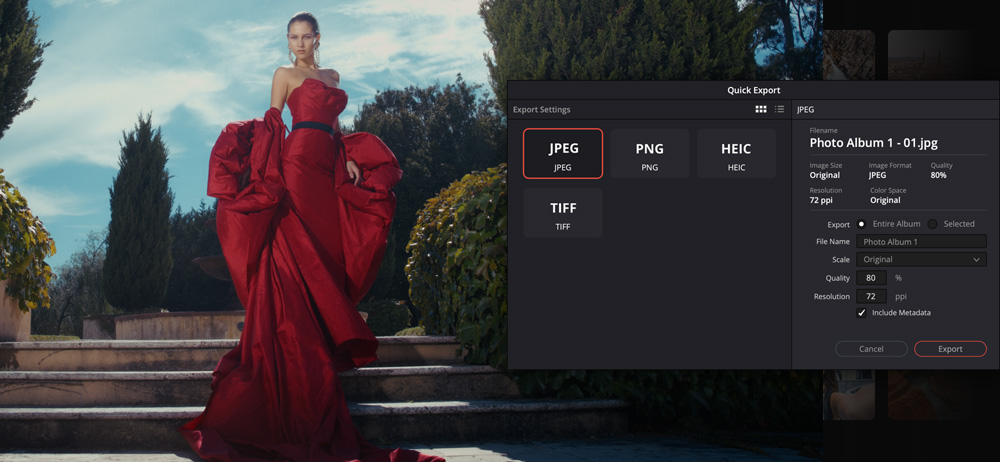
Exports go out as JPEG, PNG, HEIC, or TIFF.
Quick refresher on nodes: each node is one correction, and you chain them together like a flow chart. One node warms the skin, another darkens the sky, a third adds grain. It takes some getting used to, and it gives you a lot of control.
Free Or Studio?
The free version of Resolve does a lot. You get RAW editing, albums, the node-based color tools, and LUTs.
Studio adds the heavy hitters:
- Magic Mask, the AI tool that selects a person or object for you
- Film Look Creator, for film-style color and grain
- SuperScale and other AI tools
- Full-resolution photo exports. ProVideo Coalition reports the free version exports stills at up to 3840 pixels wide
If you print big, that last one matters. A 3840-pixel file makes a nice 12-inch print at 300 dpi, and a lot of us print bigger than that.
Where It Trips
This is version 1.0 of the Photo page, and early reviewers found some rough edges:
- Curves, wheels, and masking live on the Color page, so you hop between two pages
- Exports rename your files, which makes it harder to trace a select back to the original
- Tethering covers Sony and Canon so far
- Early users miss a Clarity slider
- Nodes have a steeper learning curve than Lightroom’s sliders
One setup tip from ProVideo Coalition: for a stills-only project, set the color space to sRGB so what you see matches what you export. And keep your photo projects separate from your video projects.
Who It’s For
If you shoot both photos and video, this is the big one. One app, one color toolset, one look across your stills and your footage.
If you’ve been wanting off a subscription, Studio at $236 is a one-time buy that keeps getting updates.
And if you’re curious, start with the free version. Try it on one shoot. If you hit the export limit or want Magic Mask, the sale runs through November 20.
Sounds like a fun weekend project.
The Details
- DaVinci Resolve Studio: $236 (regularly $295), through November 20
- DaVinci Resolve Speed Editor: $316 (regularly $395), while stocks last
- DaVinci Resolve Micro Color Panel: $396 (regularly $495), while stocks last
- DaVinci Resolve 21 free version: blackmagicdesign.com
Join the discussion in the forum.
Sources
- DaVinci Resolve Special, Blackmagic Design
- Blackmagic DaVinci Resolve Studio 20% Off, Newsshooter
- DaVinci Resolve Studio just dropped to $236, Digital Camera World
- The New DaVinci Resolve 21 Photo Page, ProVideo Coalition
- DaVinci Resolve 21 Adds a Photo Page That Directly Challenges Lightroom, PhotoWorkout

Elevate Your Vision


Read this story and all the best stories on The Luminous Landscape
The author has made this story available to Luminous Landscape members only. Upgrade to get instant access to this story and other benefits available only to members.
Why choose us?
Luminous-Landscape is a membership site. Our website contains over 5300 articles on almost every topic, camera, lens and printer you can imagine. Our membership model is simple, just $2 a month ($24.00 USD a year). This $24 gains you access to a wealth of information including all our past and future video tutorials on such topics as Lightroom, Capture One, Printing, file management and dozens of interviews and travel videos.
- New Articles every few days
- All original content found nowhere else on the web
- No Pop Up Google Sense ads – Our advertisers are photo related
- Download/stream video to any device
- NEW videos monthly
- Top well-known photographer contributors
- Posts from industry leaders
- Speciality Photography Workshops
- Mobile device scalable
- Exclusive video interviews
- Special vendor offers for members
- Hands On Product reviews
- FREE – User Forum. One of the most read user forums on the internet
- Access to our community Buy and Sell pages; for members only.
You may also like