


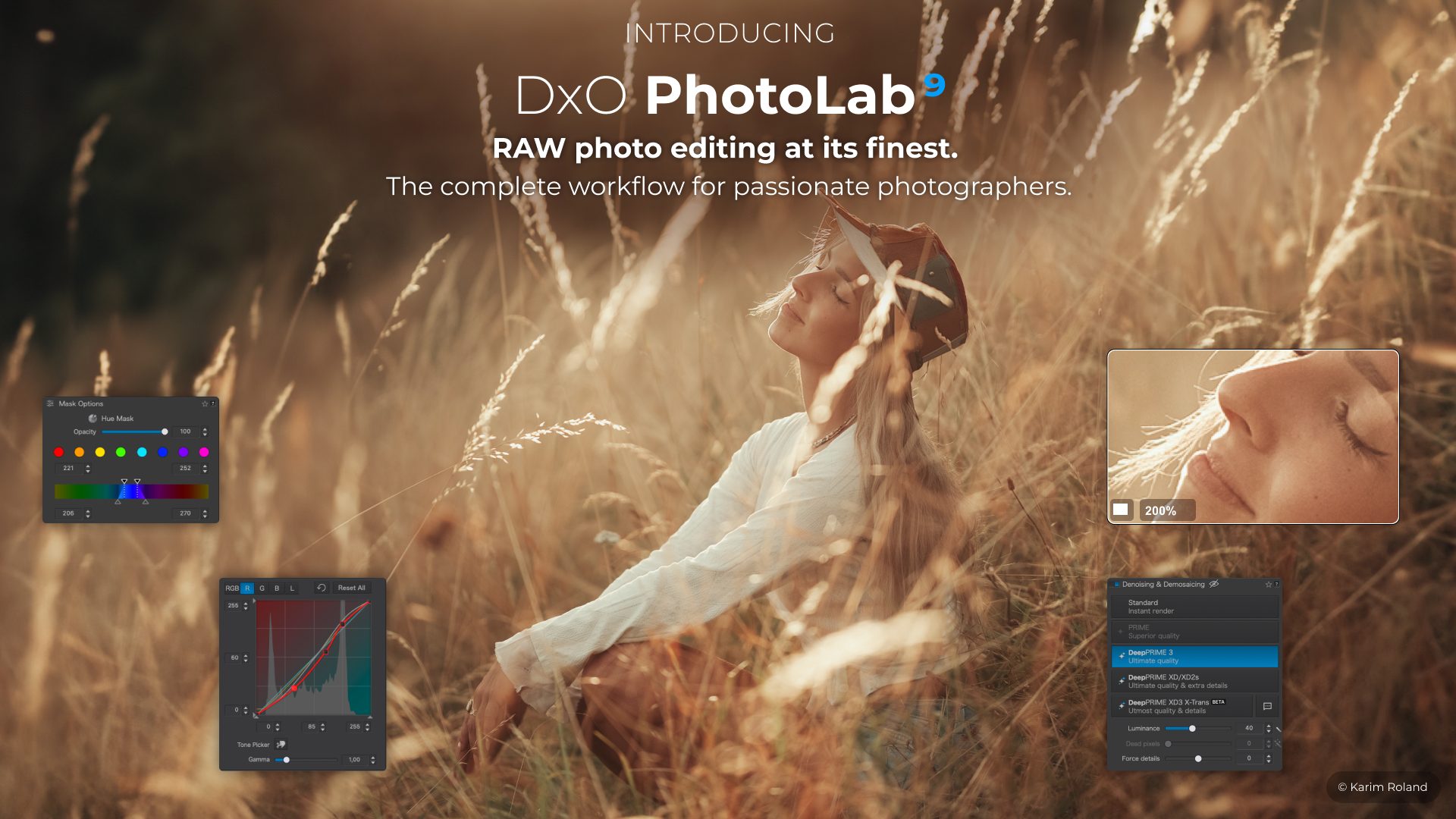


That’s the promise behind DxO PhotoLab 9.6’s marketing.
The headline feature is that DeepPRIME XD3 is expanding from Fuji X-Trans sensors to Bayer sensors. This means lots more photographers can now access what many consider the best denoising technology on the market.
ALSO – DxO added diffusion controls to their AI Masks and introduced High-Fidelity DNG Compression that is supposed to shrink our exported files by up to four times.
Let’s see what’s going on with DxO PhotoLab.
The Big Story: DeepPRIME XD3 Expands to Bayer Sensors
For years, DeepPRIME has been DxO’s strongest card.
Instead of applying noise reduction after demosaicing (like Lightroom traditionally does), DxO runs its new AI model during the RAW conversion process. It tries to reconstruct detail while suppressing noise. It’s doing this by working with the raw data itself rather than cleaning up afterward.
PhotoLab 9.6 introduces DeepPRIME XD3 for Bayer sensors, which means the tech now works across the vast majority of cameras – Canon, Nikon, Sony, Panasonic, you name it. Previously, XD3 was exclusive to Fuji’s X-Trans models.
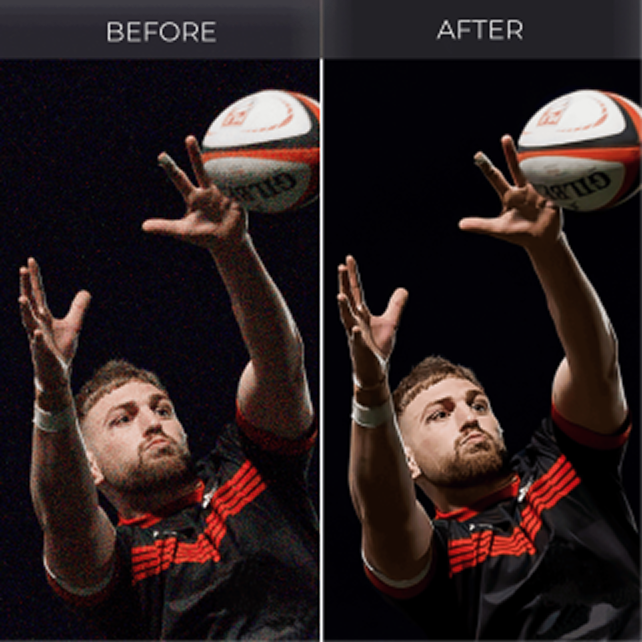
Why This Is Cool
High-ISO photography has always been a balancing act. Reduce noise and you lose detail. Increase detail and you keep noise. DeepPRIME has done a better job than most.
With XD3, DxO claims cleaner files, better texture retention, and more accurate color when working with challenging images:
- High-ISO night photography
- Indoor sports
- Wildlife at dusk
- Astrophotography
- Underexposed RAW files pushed in post
If the performance mirrors what we’ve seen in earlier DeepPRIME releases, it should remain one of the strongest denoising engines available today.
We want to be clear – we have not tested 9.6 ourselves yet. This is editorial analysis based on DxO’s track record and their press materials. Our own contributor TMAC has been running an excellent multi-part series comparing DxO and Lightroom workflows, and we’ll be watching closely to see how XD3 performs in those real-world comparisons.
How Does It Compare?
Let’s look at how the three major RAW processors stack up on noise reduction:
| Software | Noise Reduction | Speed | Notes |
|---|---|---|---|
| DxO Photolab | Excellent | Slower | Highest detail recovery |
| Lightroom AI Denoise | Very Good | Faster | Can look plastic at times |
| Capture One | Good | Fast | Less aggressive AI reconstruction |
DxO often wins pure image quality tests, especially when pushing ISO past 3200.
With that quality comes at a cost it usually takes a lot of time to process. With large batches, DeepPRIME can feel like you’re waiting forever. If you’re processing a wedding or a full day of sports coverage, it’s a pain point and that speed difference adds up fast.
AI Masks Get Diffusion: Small Feature, Big Impact
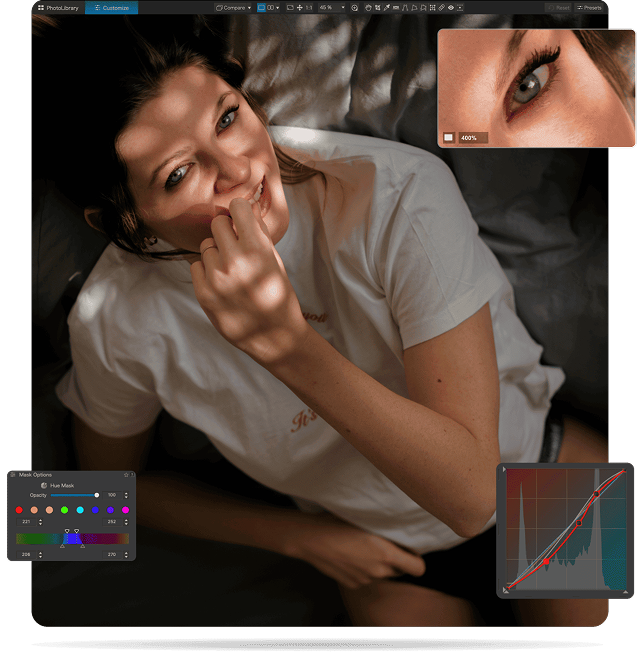
The second feature might look minor in the release notes. PhotoLab’s AI Masks now include diffusion control, which lets you feather and soften mask edges.
That sounds simple. Because it is. But it solves a real problem.
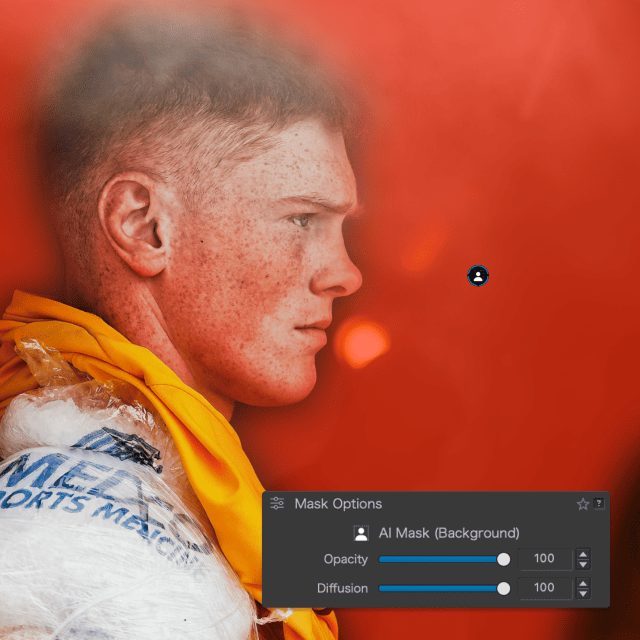
The Masking Problem
AI masking tools have gotten great at finding people, backgrounds, skies, and objects. What they struggle with is creating natural transitions. Hard mask edges sometimes produce edits that look like you’re layering a scrapbook collage. It’s that telltale halo or that slightly-too-perfect cutout that pulls you right out of the image.
Portrait photographers will appreciate this the most. Skin tone corrections, exposure tweaks, and subtle color adjustments will all benefit from better feathered masks.
Now, in fairness – Lightroom already has similar feathering controls. So it’s more like DxO is catching up here.
It’s a welcome addition that makes PhotoLab’s local adjustments workflow “mo’ bettah”.
High-Fidelity DNG Compression
Got storage?
RAW workflows generate enormous file sizes. Multiply that across years of shooting, and suddenly you’re buying hard drives like you’re a hoarder.
PhotoLab 9.6 introduces High-Fidelity Compression when exporting Linear DNG files, which is supposed to reduce the file size by up to four times without sacrificing quality.
That’s a small but big deal.
A typical workflow might look like this:
- Import RAW files
- Apply DeepPRIME processing
- Export Linear DNG
- Continue editing in another application
Previously those DNG files could be massive. Compression changes the math.
It could help with:
- Smaller archives
- Faster backups
- Reduced storage costs
- Easier cloud syncing
If you process thousands of RAW files per year, this feature could save terabytes of space over time.
The question we’ll all ask: does the compression truly remain visually lossless?
DxO says it does. Real-world testing will tell the full story, and we’ll be keeping an eye on this as our contributors and community put it through its paces.
The PhotoLab Advantage: No Subscription

Raise your hand if you hate subscription software?
🖐️
DxO continues to offer perpetual licenses, meaning you buy the software once and own it.
Pricing for PhotoLab 9.6:
- $239.99 for a new license
- $119.99 upgrade from PhotoLab 7 or 8
- Free update for existing PhotoLab 9 owners
Compare that to Adobe’s Photography Plan:
- Approximately $120 per year
- Forever
Over five years, that difference is a lot. For photographers who prefer software ownership instead of monthly rent, DxO remains one of the best alternatives. A 30-day free trial is available at dxo.com if you want to test before committing.
Where PhotoLab Still Falls Behind
We like PhotoLab. But pretending it’s perfect helps nobody. Here’s where DxO still trails the competition.
Asset Management
Lightroom continues to dominate in cataloging, search, keyword workflows, and large archive management. PhotoLab’s file browser approach works well for smaller libraries but it struggles at scale.
So, if you have tens of thousands of images and need robust organizational tools, Lightroom still has a significant edge.
Ecosystem Integration
Adobe wins with the Photoshop integration, mobile apps, cloud syncing, and collaborative workflows. DxO is more of a single-machine photographer’s tool. If your workflow involves editing on a tablet during travel or sharing work with a team, that’s a limitation worth considering.
Processing Speed
DeepPRIME produces excellent results. But it’s slow. Batch processing thousands of images takes patience. If speed is critical to your workflow – event photographers, sports shooters, anyone on tight deadlines you might want to factor that into your decision.
Where PhotoLab Still Leads
On the flip side, DxO remains exceptional in several areas.
Optical Corrections
DxO’s camera-lens modules are among the most precise in the industry. The company tests thousands of camera-lens combinations in lab conditions, producing highly accurate corrections for distortion, vignetting, and chromatic aberration. If optical precision matters to you, DxO is awesome.
Noise Reduction
DeepPRIME continues to rank among the best available. Night shooters, wildlife photographers, and event photographers often notice the difference immediately when comparing output from DxO versus other processors.
Image Quality Focus
DxO builds tools around one idea: make the RAW file better. That philosophy resonates with many serious photographers who want their software focused on image quality above all else.

Is PhotoLab 9.6 Worth It?
Short answer: probably – depending on how you shoot.
Consider upgrading if you:
- Shoot high ISO frequently
- Rely on DeepPRIME denoising workflows
- Export lots of DNG files
- Want smoother local adjustments
Consider waiting if you:
- Mainly shoot low ISO landscapes
- Already have a stable workflow
- Rarely use AI masks
Thank you DxO…
…for continuing to focus on photographers. No subscription pressure. No cloud lock-in. AND – focusing on the functionality and beauty of RAW processing.
Your Thoughts?
Have you tried DeepPRIME XD3 yet? Did it outperform Lightroom’s AI Denoise on your files?
Send us your results or workflow tips at [email protected]
Real photographer feedback always tells the real story.
DxO PhotoLab 9.6 is available now for macOS and Windows from shop.dxo.com. A 30-day trial is available at dxo.com/dxo-photolab/download/.
Elevate Your Vision


Read this story and all the best stories on The Luminous Landscape
The author has made this story available to Luminous Landscape members only. Upgrade to get instant access to this story and other benefits available only to members.
Why choose us?
Luminous-Landscape is a membership site. Our website contains over 5300 articles on almost every topic, camera, lens and printer you can imagine. Our membership model is simple, just $2 a month ($24.00 USD a year). This $24 gains you access to a wealth of information including all our past and future video tutorials on such topics as Lightroom, Capture One, Printing, file management and dozens of interviews and travel videos.
- New Articles every few days
- All original content found nowhere else on the web
- No Pop Up Google Sense ads – Our advertisers are photo related
- Download/stream video to any device
- NEW videos monthly
- Top well-known photographer contributors
- Posts from industry leaders
- Speciality Photography Workshops
- Mobile device scalable
- Exclusive video interviews
- Special vendor offers for members
- Hands On Product reviews
- FREE – User Forum. One of the most read user forums on the internet
- Access to our community Buy and Sell pages; for members only.
You may also like