





A Photo You Can Walk Around?
What if the shot you took of a coffee cup this morning could tilt and turn on a screen like it’s sitting on the table?
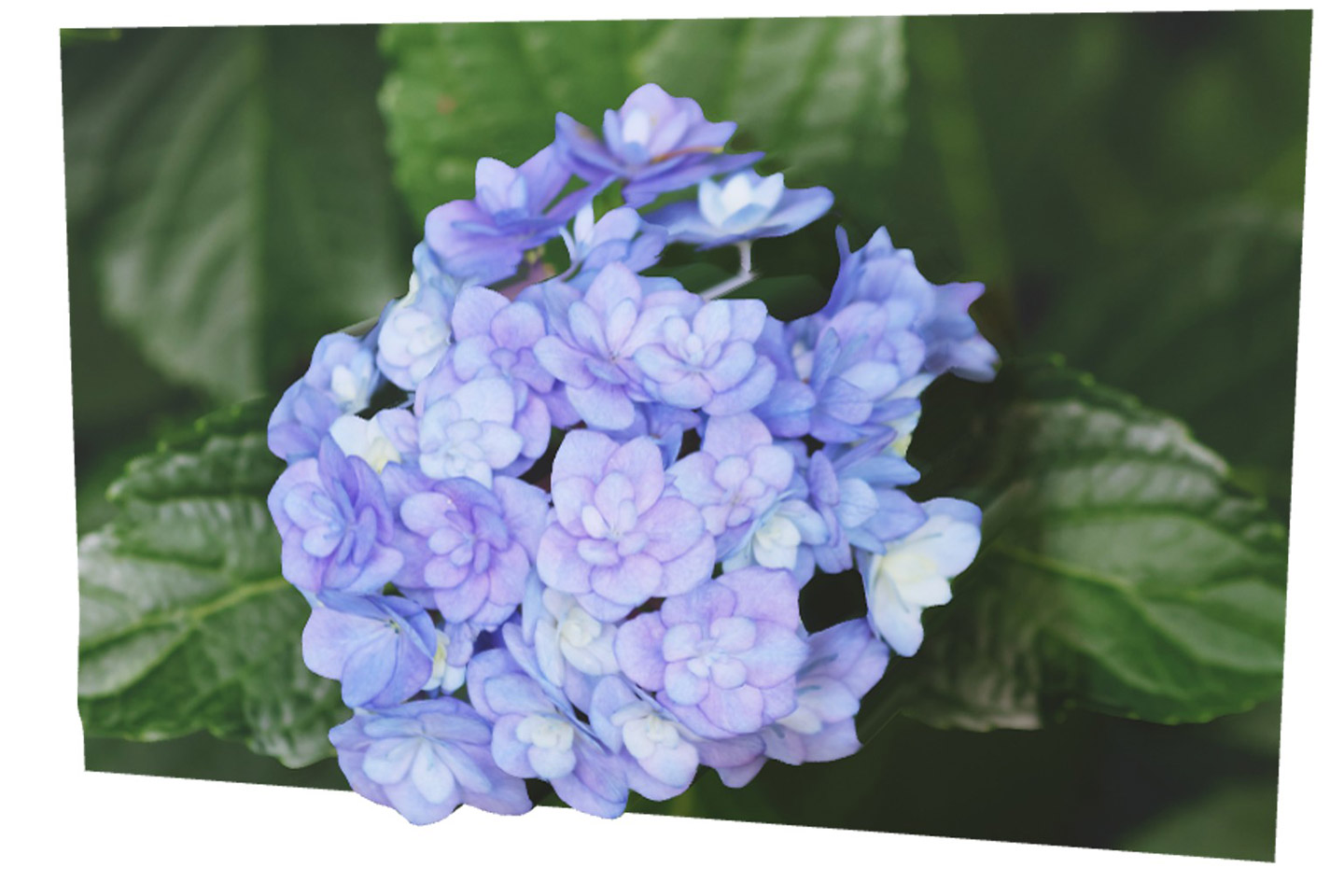
That’s the promise of Canon’s new Dual Pixel 3D Converter. Canon announced it alongside the EOS R8 Mark II. It’s free at launch, and it builds a 3D model, a GLB web asset, or a short video from one compatible photo. You don’t need a second lens, a turntable rig, or a LiDAR scanner.
Is it a bit of a gimmick? Yeah…so. I’m still excited about it, and let me tell you why.
The News in Brief
- What it is: A Windows desktop app that converts a single compatible image into 3D content
- Release: Canon U.S.A. lists October 8, 2026 as the download date
- Price: Free at launch, and Canon says terms may change later
- System: Windows 11 64-bit, version 24H2 or later. Mac users will have to wait.
- Inputs: Dual Pixel RAW files from supported cameras, or JPEGs with distance data from the EOS R8 Mark II
- Outputs: OBJ or GLB 3D files, or an MP4 clip (Canon Hong Kong lists about three seconds at 1080 x 1080)
- Controls: A slider for 3D effect strength, plus options to remove or replace the background
- For developers: Canon is also building an SDK so businesses can plug the conversion into their own product photography workflows
How One Photo Holds Depth
Let’s look at why this works at all.
Canon introduced Dual Pixel CMOS AF in 2013. Each pixel on the sensor holds two photodiodes (the light-sensitive parts). One sees light coming through the left half of the lens, and the other sees light from the right half. The camera compares the two signals to figure out which way to focus. That comparison is called phase detection.
Think about it this way. Those two halves act like a pair of eyes set a hair’s width apart. That tiny offset holds depth information. Normally the camera uses it to focus, merges both signals into one pixel, and tosses the rest.
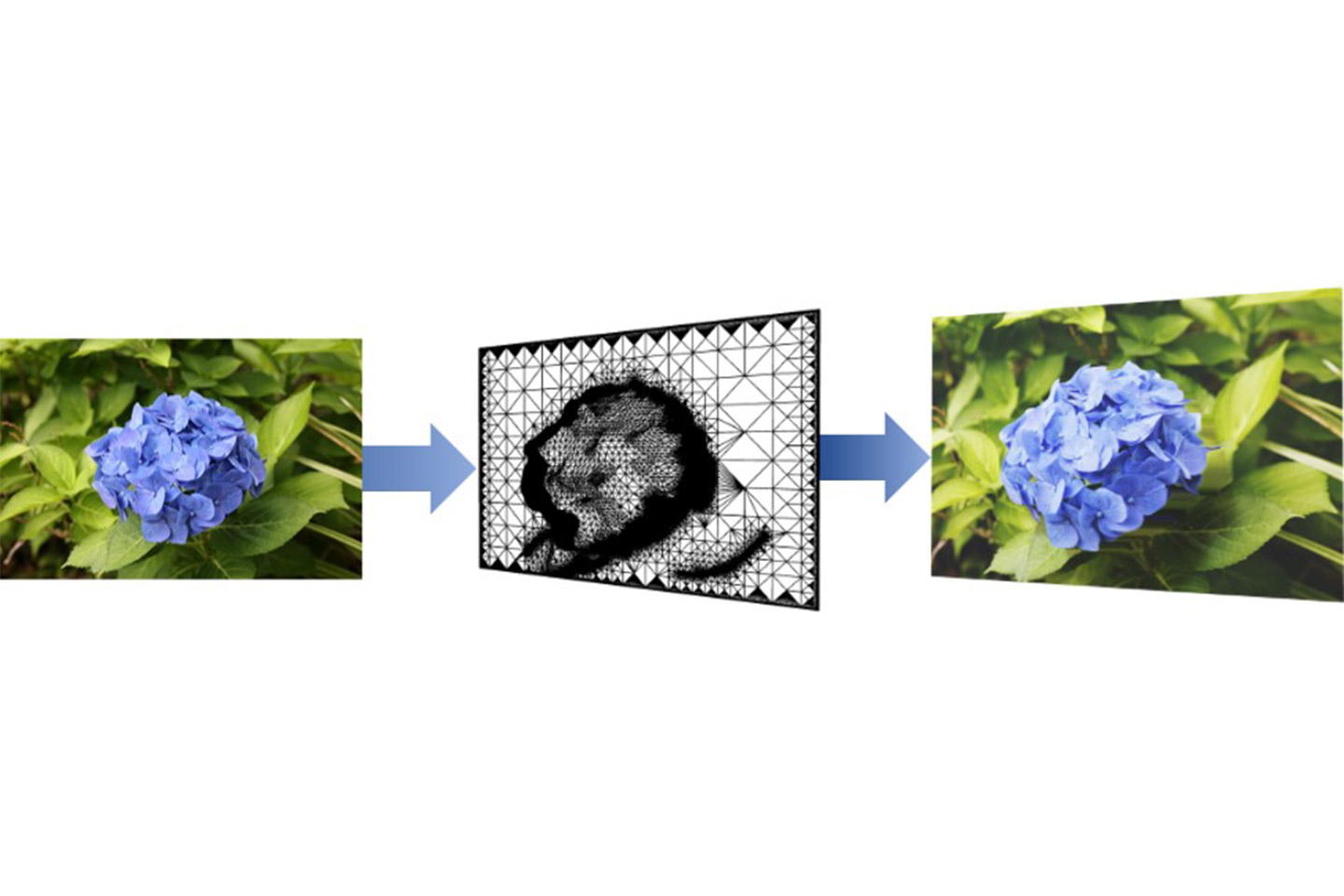
Shoot in Dual Pixel RAW (DPRAW) and the camera keeps that extra data. Canon’s algorithm reads the depth cues, builds a shape of the subject, then wraps your full-resolution photo around that shape as a texture.
Canon first showed this idea as “3D Photo” at CP+ 2025. So the R8 Mark II didn’t invent it. Canon handed hardware from 2013 a whole new job.
What “One Shot” Means
One exposure means the depth and the image come from the same instant. Nothing moves between frames, and the whole process runs faster than a multi-angle scan.
It also means the software only sees what the lens saw. The back of your product stays a mystery. You get a camera-facing 3D view that shifts in perspective as you move it a little, rather than a full 360-degree digital twin. For that, you still want photogrammetry (many overlapping photos from different angles) or a dedicated scanner.
Keep that in mind and the results will be a lot better.
Will It Work With Your Gear?
Canon lists eight bodies and twelve lenses at launch. You need a combination from both lists.
Cameras
- EOS R5 Mark II (firmware 1.3.1 or later)
- EOS R5
- EOS R6 Mark III
- EOS R6 Mark II
- EOS R7
- EOS R8 Mark II
- EOS R8
- EOS R10
Lenses
- RF 24-70mm f/2.8L IS USM
- RF 24-50mm f/4.5-6.3 IS STM
- RF 24-105mm f/4L IS USM
- RF 24-105mm f/4-7.1 IS STM
- RF 35mm f/1.8 Macro IS STM
- RF 50mm f/1.8 STM
- RF 70-200mm f/2.8L IS USM
- RF 70-200mm f/4L IS USM
- RF 85mm f/2 Macro IS STM
- RF 100mm f/2.8L Macro IS USM
- RF-S 18-45mm f/4.5-6.3 IS STM
- RF-S 18-150mm f/3.5-6.3 IS STM
The R1, R3, original R6, and R50 bodies are missing from the launch list, and so are adapted EF lenses. That’s the launch list only. Canon may expand it later.
One more thing. Only DPRAW files carry the data (plus R8 Mark II JPEGs with the setting on). If your archive is full of standard RAW files, those won’t convert. Check your library for any DPRAW files you shot for Canon’s older focus and bokeh adjustments.
How to Shoot for Dual Pixel 3D
Here’s a practical test. Pick something small, still, and textured. A pear, a succulent, a leather wallet, a ceramic mug with a matte glaze.
Camera settings
- Turn on Dual Pixel RAW in your camera menu. Expect larger files.
- On the R8 Mark II, turn on “Add distance data to JPEGs” if you want to shoot JPEG.
- Start at f/5.6. That keeps the subject sharp while holding strong depth cues. Stop down past f/8 and the software throws a conversion error.
- Keep ISO at 1600 or below. Noise confuses the depth reading.
- Nail focus. Canon says sharpness drives everything.
Subject and setup
- Get close. Canon built this for tabletop-scale subjects like products, plants, and food.
- Choose surfaces with texture and defined edges.
- Separate the subject from the background with distance and contrast.
- Use soft, directional light to shape the form.
- Lock the camera on a tripod and let the subject sit still.
Subjects that will fight you
- Glass and clear plastic
- Chrome, polished metal, and other reflective surfaces
- Fine detail like hair, fur, or feathery plants
- Repeating patterns such as fabric weaves or grilles
- Heavy blur anywhere in the frame
This means your best 3D files will come from the same clean, well-lit tabletop habits that make a great product photo anyway.
From Photo to 3D File
- Import your DPRAW or distance-enabled JPEG into the Converter
- Adjust the 3D strength, pushing it for drama or pulling back for subtle depth
- Keep the scene, or isolate the subject and swap the background
- Export as OBJ to keep editing in a 3D app, GLB for web and sharing, or MP4 for social and presentations
GLB packs everything into one tidy file that most web 3D viewers read. The MP4 plays anywhere, but it’s a rendered clip, so viewers can’t spin it themselves.
Gimmick or Game Changer?
A little of both…and that’s okay.
The gimmick side is easy to spot. You get one viewpoint, a short list of gear, Windows only, and fussy about subjects. Canon hasn’t shared accuracy specs, mesh detail, or processing times. A spinning pear in a three-second clip won’t replace a proper scan for any serious 3D job.
Here’s why it still has me grinning.
- It came as free software. Canon added a new creative format to cameras people already own. That’s rare, and it rewards photographers who stuck with a system.
- It sparks play. Some of my favorite images started as “what happens if I try this?” A new output format sends you back to the table with fresh eyes.
- It opens doors for small businesses. A maker who already shoots their own products could add a rotating web asset with almost no extra time.
- It points to where cameras are heading. Sensors now record more than a flat picture. Depth, focus data, and light direction are becoming raw material. Dual Pixel 3D is an early, playful look at that future.
Plenty of photo tools started as toys. This one looks fun to play with. Will other brands follow?
Other links about it:
Canon U.S.A. – Dual Pixel 3D (DP3D) product page: https://www.usa.canon.com/digital-cameras/software/dp3d
Canon Europe – “Canon announces ‘Dual Pixel 3D'” press release: https://www.canon-europe.com/press-centre/press-releases/2026/09/canon-announces-dual-pixel-3d-a-simple-3d-image-generation-technology/
DPReview – Canon’s free Dual Pixel 3D software turns supported EOS R photos into 3D models: https://www.dpreview.com/news/canons-free-dual-pixel-3d-software-turns-supported-eos-r-photos-into-3d-models/
PetaPixel – Canon Is Developing Dual Pixel CMOS 3D Photo Tech (CP+ 2025): https://petapixel.com/2025/03/20/canon-developing-dual-pixel-cmos-3d-photo-tech
Canon Global – Dual Pixel CMOS AF announcement (2013): https://global.canon/en/news/2013/jul02e.html



Elevate Your Vision


Read this story and all the best stories on The Luminous Landscape
The author has made this story available to Luminous Landscape members only. Upgrade to get instant access to this story and other benefits available only to members.
Why choose us?
Luminous-Landscape is a membership site. Our website contains over 5300 articles on almost every topic, camera, lens and printer you can imagine. Our membership model is simple, just $2 a month ($24.00 USD a year). This $24 gains you access to a wealth of information including all our past and future video tutorials on such topics as Lightroom, Capture One, Printing, file management and dozens of interviews and travel videos.
- New Articles every few days
- All original content found nowhere else on the web
- No Pop Up Google Sense ads – Our advertisers are photo related
- Download/stream video to any device
- NEW videos monthly
- Top well-known photographer contributors
- Posts from industry leaders
- Speciality Photography Workshops
- Mobile device scalable
- Exclusive video interviews
- Special vendor offers for members
- Hands On Product reviews
- FREE – User Forum. One of the most read user forums on the internet
- Access to our community Buy and Sell pages; for members only.
You may also like