


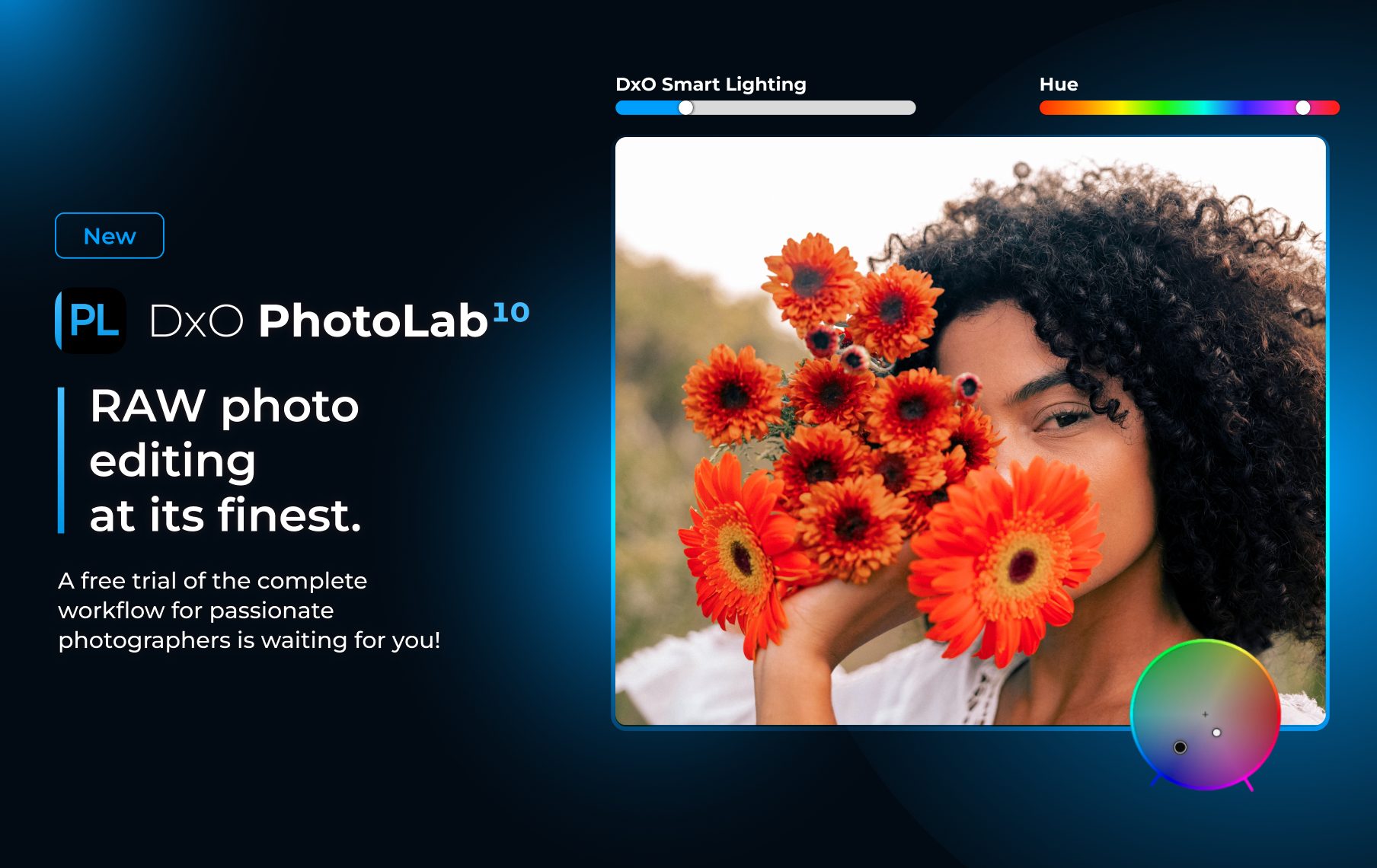


I’ve been so looking forward to a new release of DxO PhotoLab and finally, it’s here! DxO PhotoLab 10 is a pay-once-use-for-life “perpetual licence” app for non-destructive raw and jpeg editing, touted by DxO as being a complete solution. Last year, I reviewed DxO PhotoLab 9 (Part 2, Part 3), comparing it to the industry-leading photo editing app, Lightroom, and it came up short in a few areas. Does PL10 live up to its billing?
I have both DxO PL9.11 and DxO PL10.0 (pre-release) open on a 15” M4 MacBook Air with 16GB of RAM and a 2TB SSD. I’m also going back to my notes on PL9 from when I reviewed it last year. There were a few niggling issues with it that I hope have been cleared up.
My goal is to assess what has changed and whether or not PL10 is worth the upgrade.
New Features
To me, the PL10 UI appears identical to PL9, which is a good thing. When you’ve spent time developing efficient workflows, the last thing you want are changes that disrupt the muscle memory you’ve created.
The second thing I noticed was how much faster everything works. There are far fewer delays and lag times like I faced with DxO 9. Slight delays still exist when initializing AI masks for a photo and making tone adjustments within those masks, but this is a far cry better than what I experienced with PL9.
But PL10 comes with some great new features that really up its game.
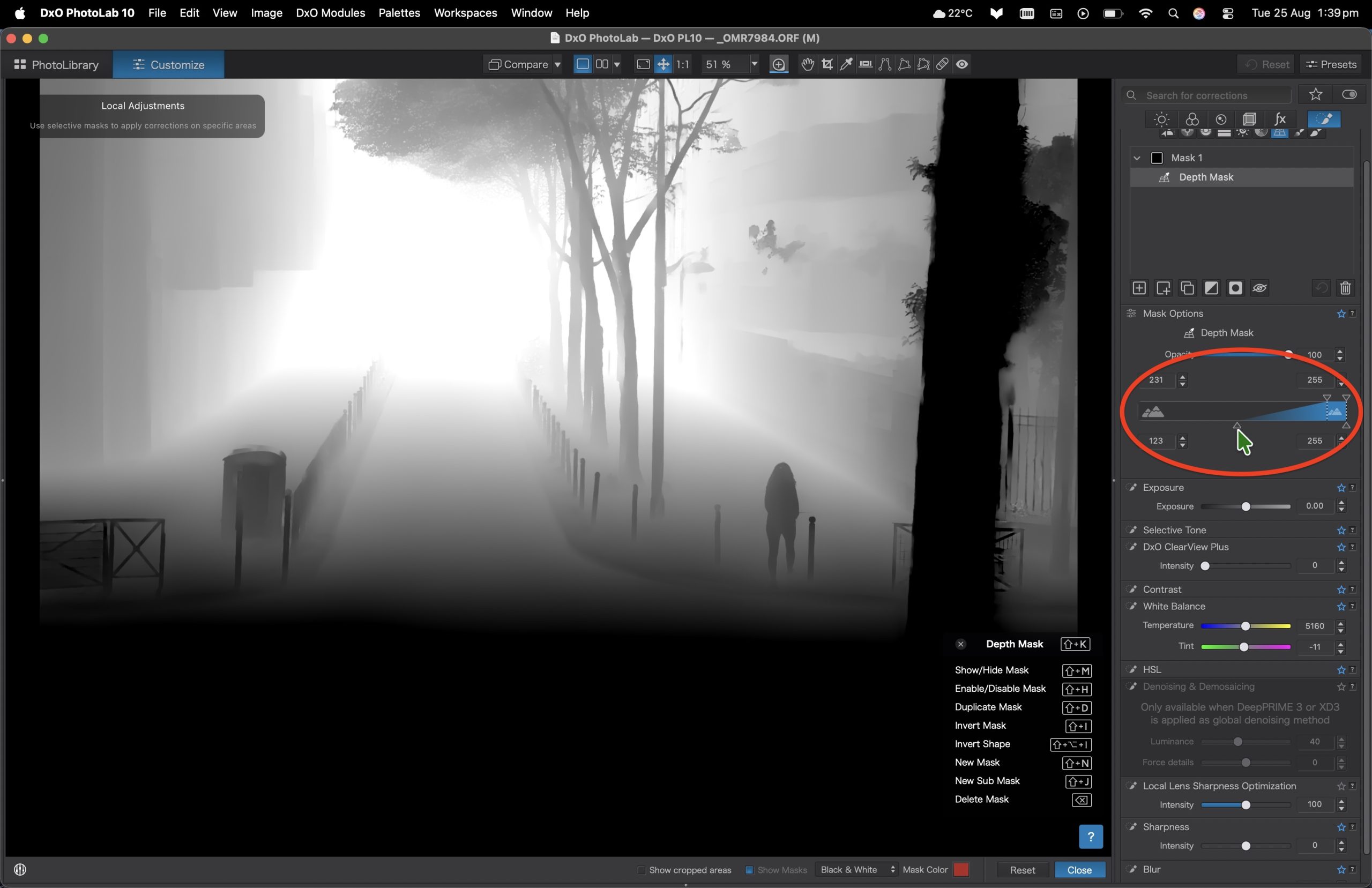
Depth Masking
Depth Masks are a powerful tool for making local adjustments based on estimated distance from the camera. This is huge. Users can gradually darken a scene as it recedes into the background. Even more powerful is the way additional blur can be added to the background to emulate shallow depth of field with large apertures. This will especially benefit smaller sensor camera users, such as Micro Four Thirds OM System and Panasonic, with their ever-amazing depth-of-field.
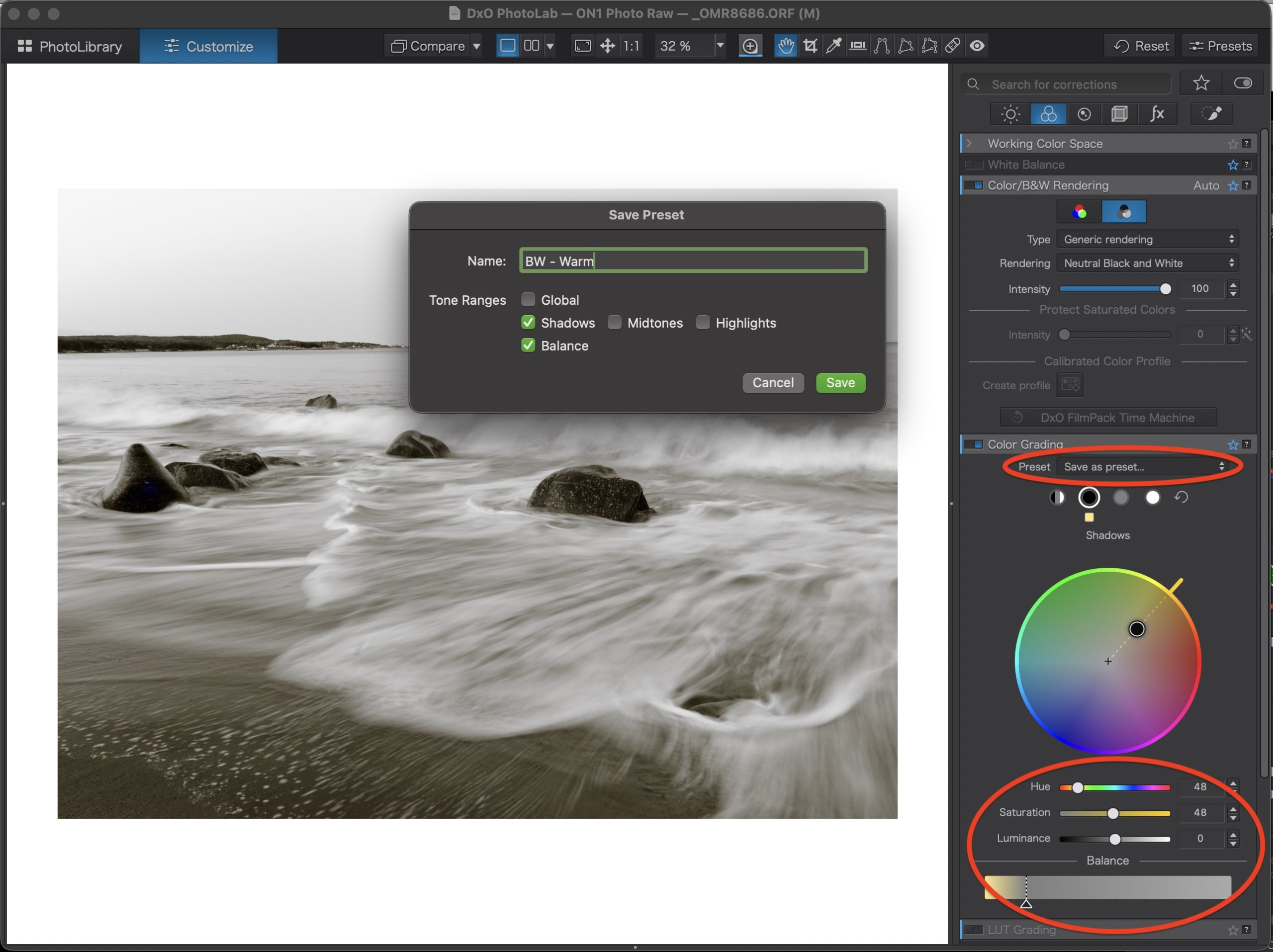
Color Grading
Color Grading is helpful for adjusting atmosphere and mood to taste, allowing users to create signature aesthetics. There are separate hue wheels for global controls and for shadows, mid-tones and highlights. In my case, I can now add my signature warm tone to my monochrome photographs. A few editable presets have been included, but users can also save their own presets within Color Grading – very helpful!
Expanded AI Masking
AI Masking now includes identifying individual people and their components such as facial skin, facial hair, eyes, lips, hair, clothes. It includes U-point functionality and automatic sensor dust removal. This is a huge step forward from PL9.
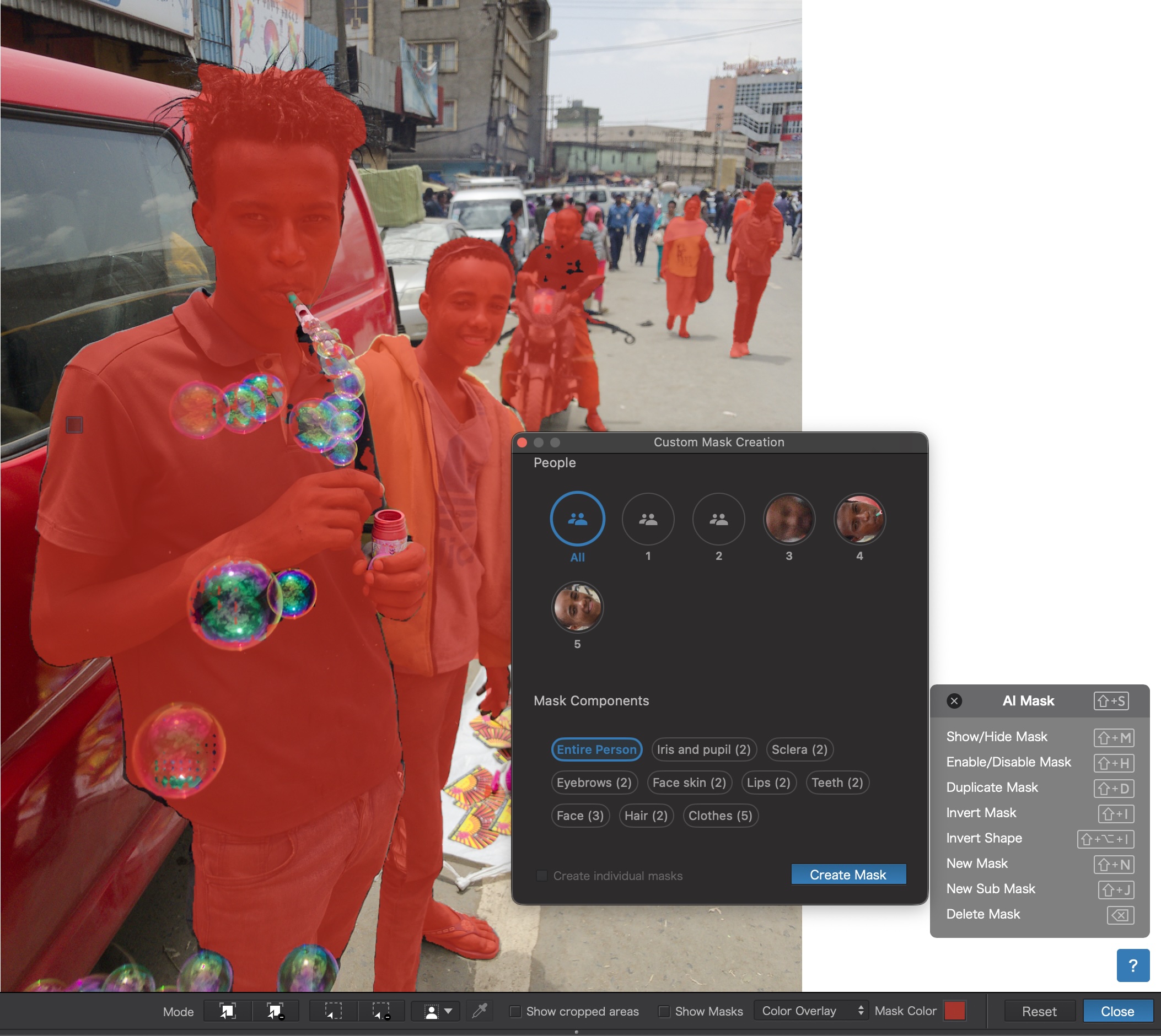
Unfortunately, working with AI Masks introduces some lag. For example, when brightening an individual person, the changes are not live. I make the adjustment, PL10 processes it, and shows it a second later. No one likes lags, especially busy photographers, so this would be something DxO really needs to concentrate on.
Additional Masking Improvements
Control Point Masking now allows users to create ovals / ellipses, which can be rotated. Lightroom has had this for years, so it is well past the time PL offered it.
Control Brush replaces Auto Brush and adds eyedropper functionality to select specific colours. Brushes can be further refined using both Color and Luma adjustment sliders. Yet another very powerful set of tools for finesse editing.
Seamless path to Affinity
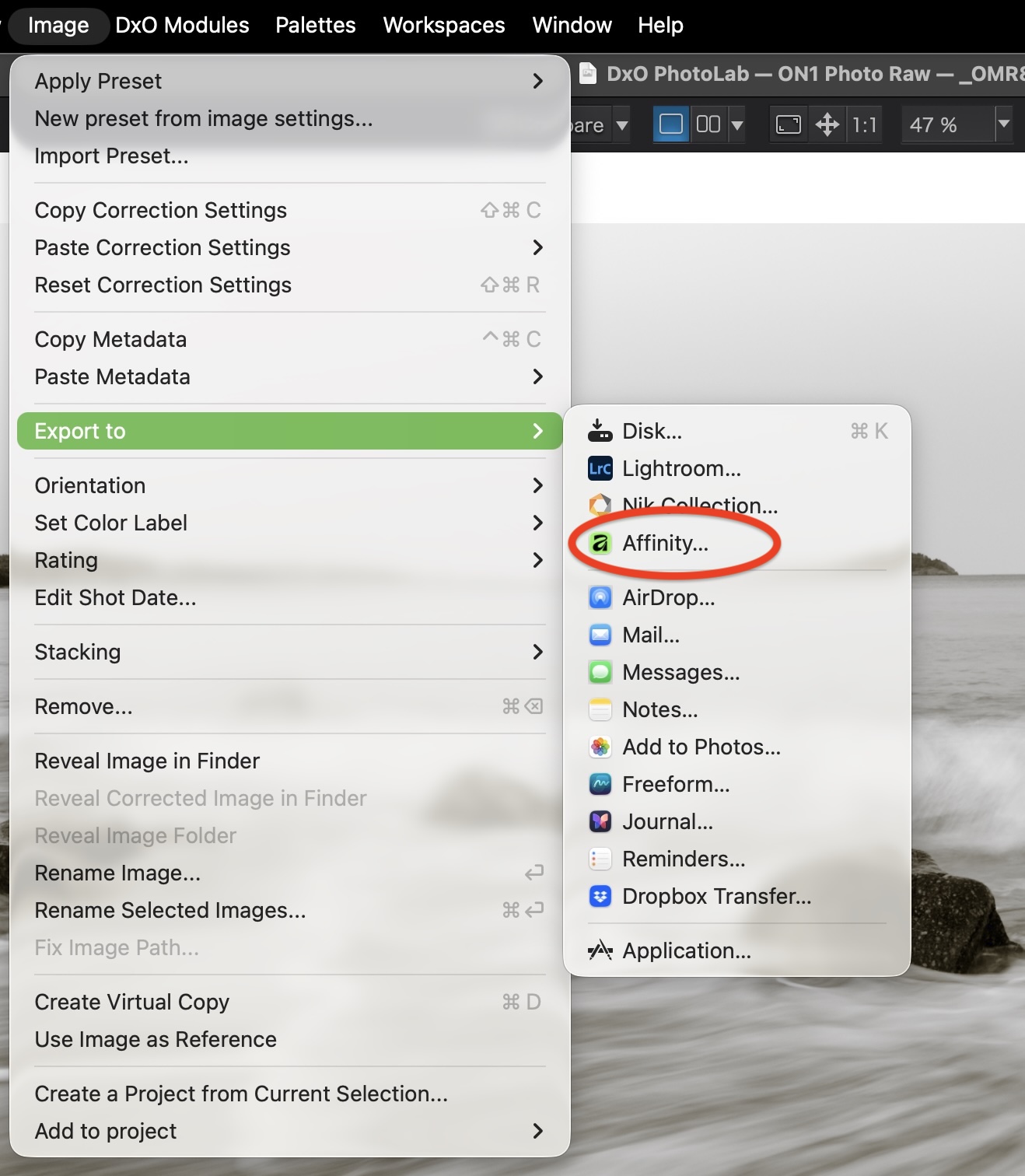
Affinity is the de facto and free Photoshop alternative used by photographers and creatives around the globe. Integrating Affinity opens up working with layers, adding text, making composite photographs, Focus Stacking, Panorama stitching, and HDR, all of which are now only a click away. Once you’ve finished working in Affinity, the file is saved back to the same folder and appears within PL10.
Note: While all of Affinity is free, if you want any AI options, you’ll need to upgrade to Canva Pro for $144/yr.
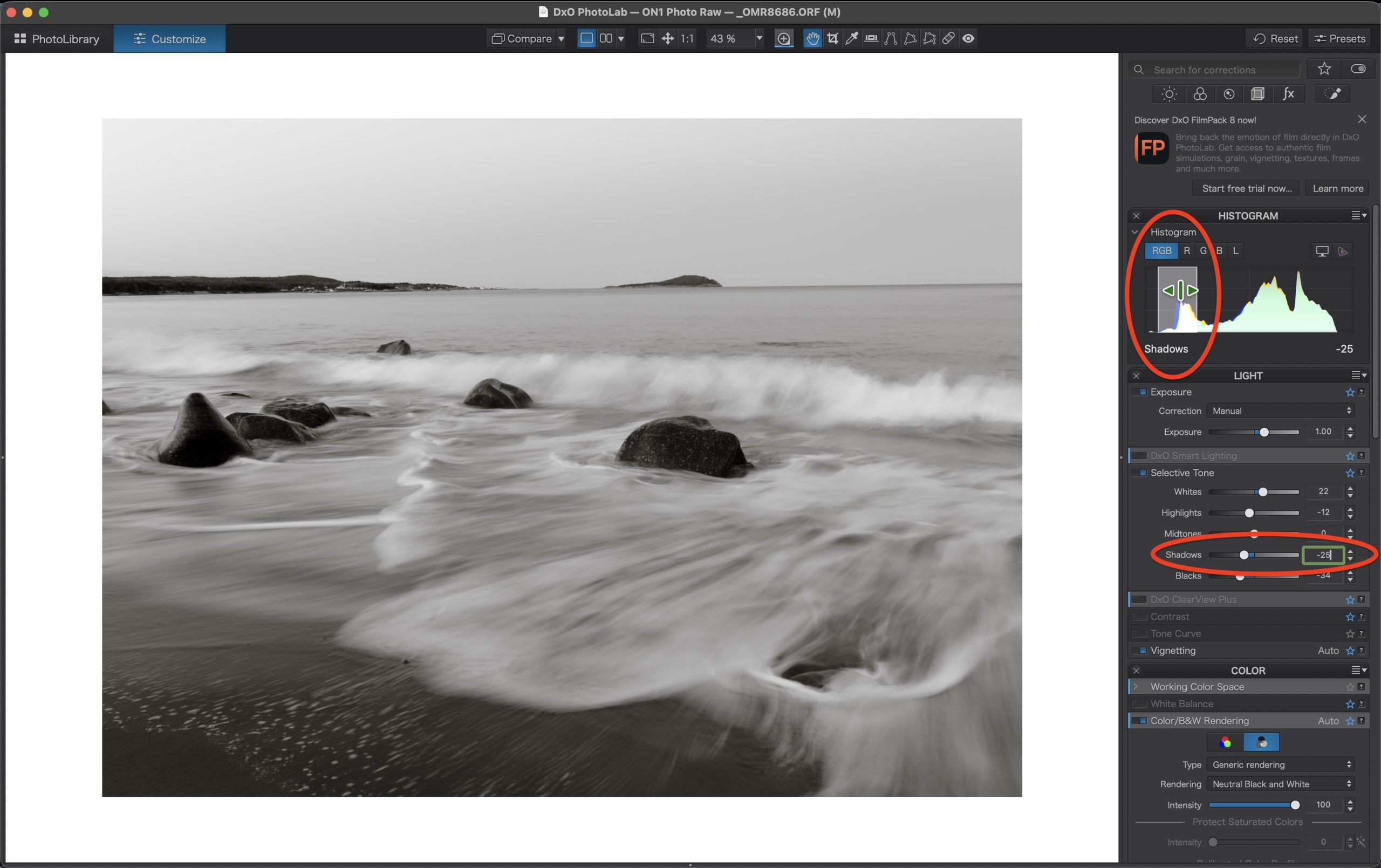
One last little gem I found is that gross adjustments to Tone Controls can now be done right on the Histogram. Having discreet Tone Controls for Blacks, Whites, Mid-tones, Shadows and Highlights is essential for finessing exposure levels. While this could always be done with the sliders, working directly on the Histogram makes it feel more real. Unfortunately PL10 is still missing the Shift+Cursor up/down gross controls, which are so helpful for keeping eyes on the photo while navigating through the adjustments.
Who benefits?
Initially, I considered PL10 to be an evolutionary upgrade, but it really is revolutionary in the way users now have finer control over the finessing of photographs with adjustments localized to people, backgrounds, foregrounds, hues and saturation. Furthermore, what DxO has always excelled at – industry-leading denoise and sharpening with precise and individualized lens modules – it continues to do exceptionally well.
How does it compare?
If you’re in the market for a high-end photo editing solution, DxO PhotoLab 10 is definitely one to consider. Its learning curve is steeper than Lightroom’s, and it lacks Lr’s excellent individual auto tone controls, however users are not tied to a subscription. Nor are they bound by Lightroom’s Import model to its own catalogue.
I for one appreciate everything I can do with my nearly 100,000 of images within Lightroom’s catalogue, especially as it keeps my professional work separate from everything else, but I know not everyone feels the same way. I also happen to enjoy editing on iPad, for which Lightroom is outstanding; there is no PhotoLab for iPad.
Is DxO PhotoLab 10 “the world’s most advanced end-to-end RAW photo editing software”, as DxO claims? Advanced, definitely. It has a number of options not found in Lightroom. End-to-end? Digitally, yes. But for those who make their own fine prints, no. Granted, making fine prints is an ever shrinking niche. To get the same functionality as Lightroom, one would need to make the additional purchase of Nik Collection (also from DxO) or use Qimage. Of course, if printing is not your thing, then PL10 certainly fits the bill as a complete end-to-end photo editing solution.
Feature for feature, PL10 competes well with Lightroom. Lightroom does a few things more directly and more efficiently than PL10, but then PL10 does a few things better than Lightroom. Given their parity, it’s tempting to consider switching from Lightroom to DxO PL10, however, given the legacy settings that would be lost, it is likely not worth it. As an alternative, industry-leading denoise and sharpening is available with the DxO PureRAW plugin.
Pricing
Here’s where things, for me, fall apart slightly. A new license for PL10 is US$249.99 / 249,99 € / £229.99, or about two years worth of the Lightroom-only plan (i.e. no Photoshop, but Lr Classic, Lr Desktop, and Lr Mobile plus 1 TB of cloud space and Adobe Portfolio websites). To upgrade from DxO PhotoLab 8 or 9 it’s US$129.99 / 129,99 € / £114.99, which is about the same as a year of the Lr-only plan from Adobe.
If I was a DxO PhotoLab user and had purchased PL9 last year, the FOMO in me would be wanting PL10, though skipping new releases is also an option many one-time purchasers choose. Is saving $130 worth not having features that will extend your editing capabilities? Only you can decide that.
For customers new to DxO, use the discount code LuLaLaborDay2026 to take advantage of a 20% savings on DxO PL10.




Elevate Your Vision


Read this story and all the best stories on The Luminous Landscape
The author has made this story available to Luminous Landscape members only. Upgrade to get instant access to this story and other benefits available only to members.
Why choose us?
Luminous-Landscape is a membership site. Our website contains over 5300 articles on almost every topic, camera, lens and printer you can imagine. Our membership model is simple, just $2 a month ($24.00 USD a year). This $24 gains you access to a wealth of information including all our past and future video tutorials on such topics as Lightroom, Capture One, Printing, file management and dozens of interviews and travel videos.
- New Articles every few days
- All original content found nowhere else on the web
- No Pop Up Google Sense ads – Our advertisers are photo related
- Download/stream video to any device
- NEW videos monthly
- Top well-known photographer contributors
- Posts from industry leaders
- Speciality Photography Workshops
- Mobile device scalable
- Exclusive video interviews
- Special vendor offers for members
- Hands On Product reviews
- FREE – User Forum. One of the most read user forums on the internet
- Access to our community Buy and Sell pages; for members only.
You may also like