





For many photographers, SnapSeed occupies a curious place in the editing world. It has been widely used, deeply loved, occasionally ignored, and sometimes underestimated as “just a phone app.” Its history is richer than that, and its recent updates give photographers good reason to look again, especially those who care about high-quality mobile editing.
SnapSeed began life as a photographic editing app rather than a casual social media filter app. It was originally released for iPad in 2011 by Nik Software, the same company whose desktop tools became the Nik Collection. Many photographers will know Nik for tools such as Silver Efex Pro, Color Efex Pro, Viveza, and other plugins that became part of many digital darkroom workflows.
That Nik lineage helps explain SnapSeed’s original appeal. The app brought some of Nik’s photographic thinking to a touch-based device. Instead of applying a preset and moving on, SnapSeed encouraged local adjustments, selective changes, and a more tactile way of working with an image.
Google acquired Nik Software in 2012 and later made SnapSeed available for Android. Eventually, the Nik Collection moved on to DxO, where those desktop tools continue today. SnapSeed, meanwhile, remained with Google.
For a very long time, SnapSeed changed very little.

For many users, that stability became part of the app’s appeal. SnapSeed worked. It was familiar. It was fast. Photographers learned where everything lived. The gestures became second nature. You could open an image, move quickly through Tune Image, Details, Selective, Brush, Healing, and Export, and get where you wanted to go without thinking about the interface.
That kind of stability builds trust. Software companies often confuse change with improvement. SnapSeed stayed familiar, and millions of users built years of confidence and muscle memory around it.
But, the long quiet period also created concern. Because Google made so few visible changes to SnapSeed for many years, many of us wondered whether the app was being quietly neglected. The worry was that Google might eventually stop maintaining it, leaving a beloved tool to wither as mobile operating systems, camera formats, and photographer expectations continued to evolve.
So when Google released Version 3 in June 2025, the overhaul got the attention of the photography community.
Over the past year, Google has released a steady stream of SnapSeed updates. Some have involved major interface changes. Others have improved or added tools of real interest to photographers, including new masking capability, improved RAW processing, batch editing, Color management, portrait editing, and a few other features, some more useful than others. For example, the new Bloom adjustment can be useful, though I’ve yet to find much use for the new Halation feature.
Longtime SnapSeed users have had mixed reactions. We know exactly where the muscle memory lives. Move a tool, change a gesture, reorganize an export option, and a once-fluid workflow suddenly feels unfamiliar. SnapSeed loyalists had understandable reasons to be irritated by some of those changes.
The larger message, though, seems encouraging: Google appears to be paying attention to SnapSeed again. For those of us who never stopped using the app, that is good news. SnapSeed was already good. Now it is being actively maintained and improved.
More Than a Smartphone Photo Editor

One misconception about SnapSeed is that it belongs only in the world of smartphone photography. Its usefulness has always extended beyond that, and the recent updates make that point easier to see.
SnapSeed can edit JPEG files from virtually any camera, and it can also process many RAW files. That means it can be used with iPhone and Android images as well as files from mirrorless cameras, DSLRs, and advanced compact cameras.
This opens up real possibilities for photographers who want a mobile workflow. You might make photographs with a traditional camera, transfer selected files to a phone or tablet, and edit them while traveling, teaching, or working away from the desktop. I see SnapSeed as a powerful companion to Lightroom Classic, Photoshop, Capture One, or the DxO/Nik desktop tools when you want to work quickly and creatively on a mobile device.
There are some important caveats. RAW support varies by platform, and the supported camera list differs between iOS and Android.
On Android, SnapSeed primarily edits DNG RAW files. On iPhone and iPad, Google lists support for RAW files from a number of traditional cameras, including many models from Canon, Nikon, Olympus, Panasonic Lumix, and Sony, plus DNG files.
According to Google’s own SnapSeed RAW compatibility information, iOS support includes examples such as:
Canon EOS bodies including the 1D, 5D, 6D, 7D, many two-digit and three-digit EOS models, and the original EOS M.
Canon PowerShot models including the G1X, G7X, G12, G16, and S100.
Nikon cameras including the D3, D4, Df, D600, D610, D700, D750, D800, D810, D300, D5000, D7000 series, Nikon 1 models, Coolpix A, and Coolpix P7800.
Olympus cameras including several OM-D and PEN models.
Panasonic Lumix cameras including the GH3, GH4, GX8, LX7, LX100, and several G, GF, GM, and FZ models.
Sony cameras including the A7, A7R, A7S, A7 II, A55, A58, A65, A77, A99, A6000, several NEX models, and RX-series cameras including RX1, RX10, and RX100 models.
Fuji support, however, is very limited in Google’s published list. The Fuji X100 appears, but many Fuji X-series cameras are absent. My own Fuji X-T2 infrared-converted camera and Fuji X-T4, for example, are not on that native RAW support list. Fuji photographers can certainly edit JPEGs in SnapSeed, and DNG conversion may provide a workaround in some cases. Proprietary Fuji RAW files, however, need to be tested before assuming they will open directly in SnapSeed.
And, it’s best to understand this limitation before building a RAW workflow around the app. SnapSeed is a capable mobile editor, but RAW support depends on the camera, file type, and platform.
The New Masking Is the Big Story
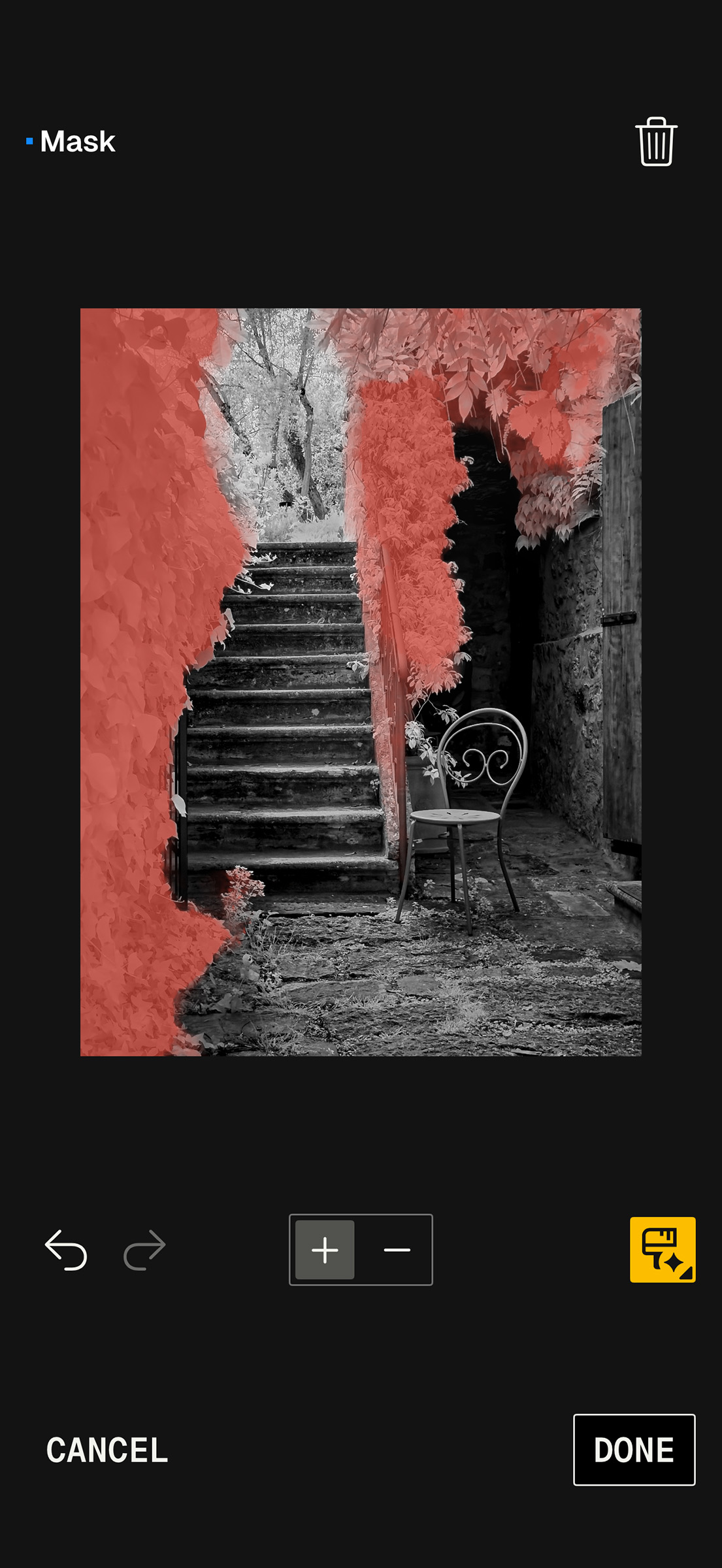
For me, the most important recent improvement is with masking.
SnapSeed has long had more selective-editing power than many users realized. Even in earlier versions, one could go to View Edits, access the individual layers created by previous adjustments, and brush masks in or out to control where an effect appeared. It was one of the app’s most powerful hidden features.
The newer One-Touch Masking capability changes the experience. It can quickly identify a subject or background and allow targeted edits without the slower, more manual brush work many of us had become accustomed to.
With a good mask, I can darken a background, brighten a subject, increase structure in one area, soften another, or make color and tonal adjustments that guide the viewer’s eye more precisely. That is the heart of photographic editing: making the changes exactly where we want them.
Lightroom Mobile’s masking has become very powerful in this area, and I use it often. But SnapSeed’s new masking deserves attention. In some situations, it is surprisingly fast and intuitive, and in some ways I think it compares very favorably with Lightroom Mobile’s masking tools. A few years ago, that comparison would have surprised me.
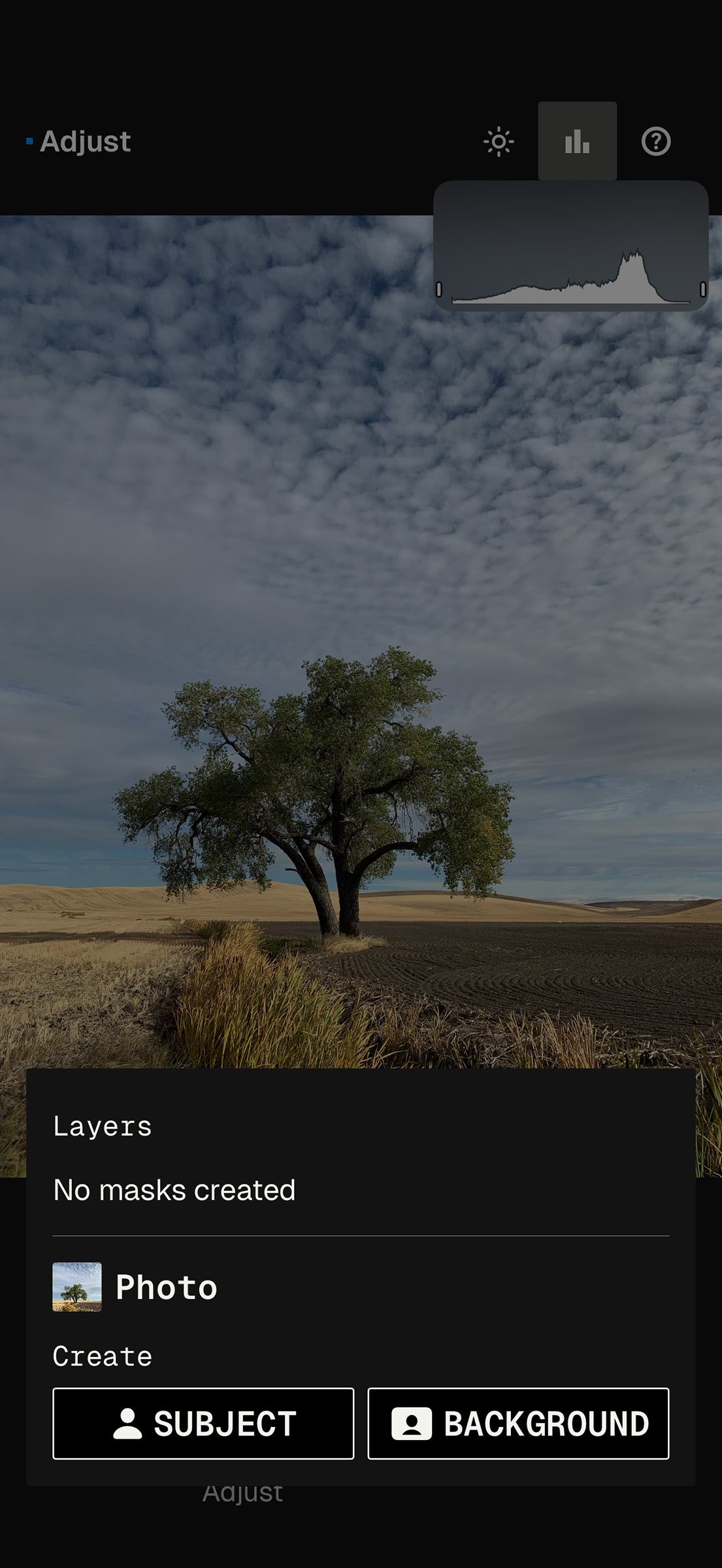
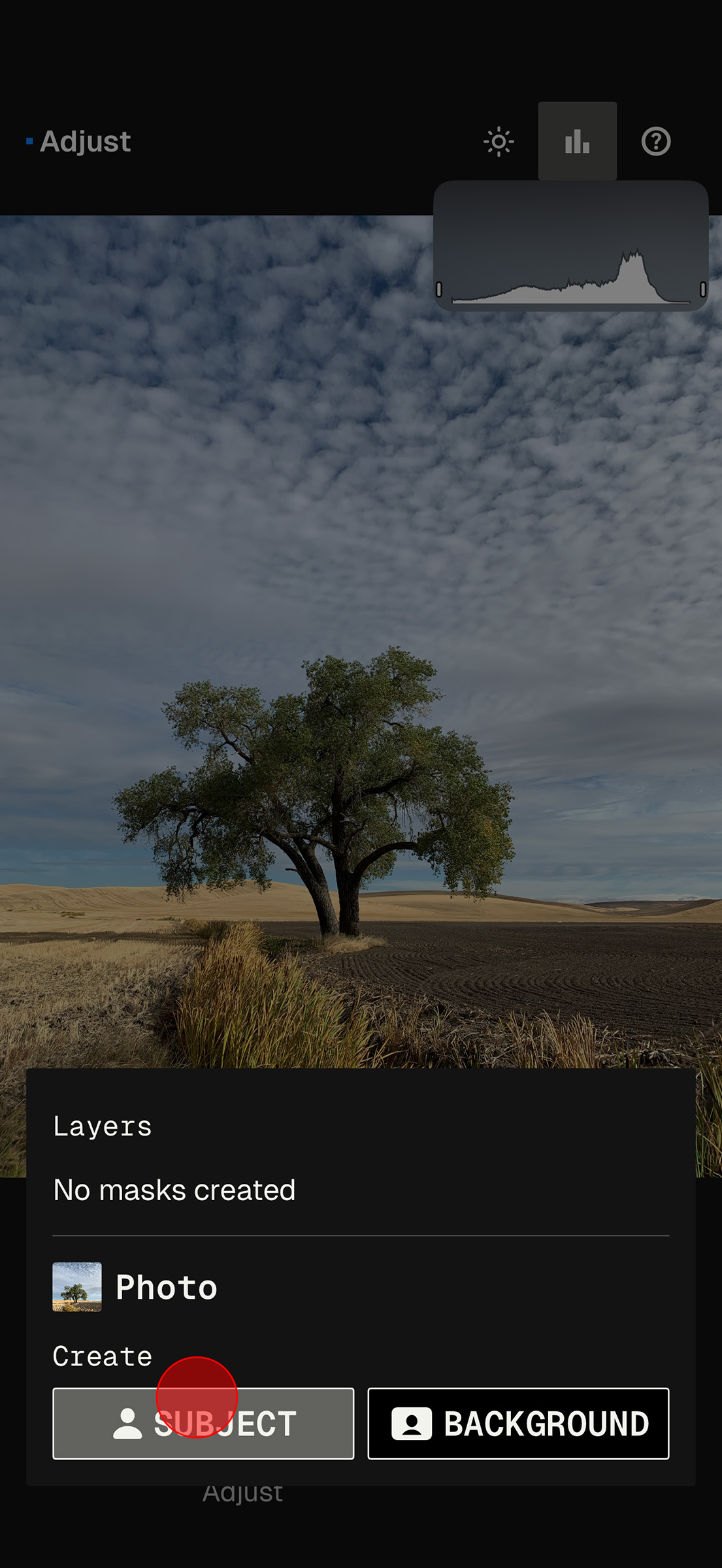
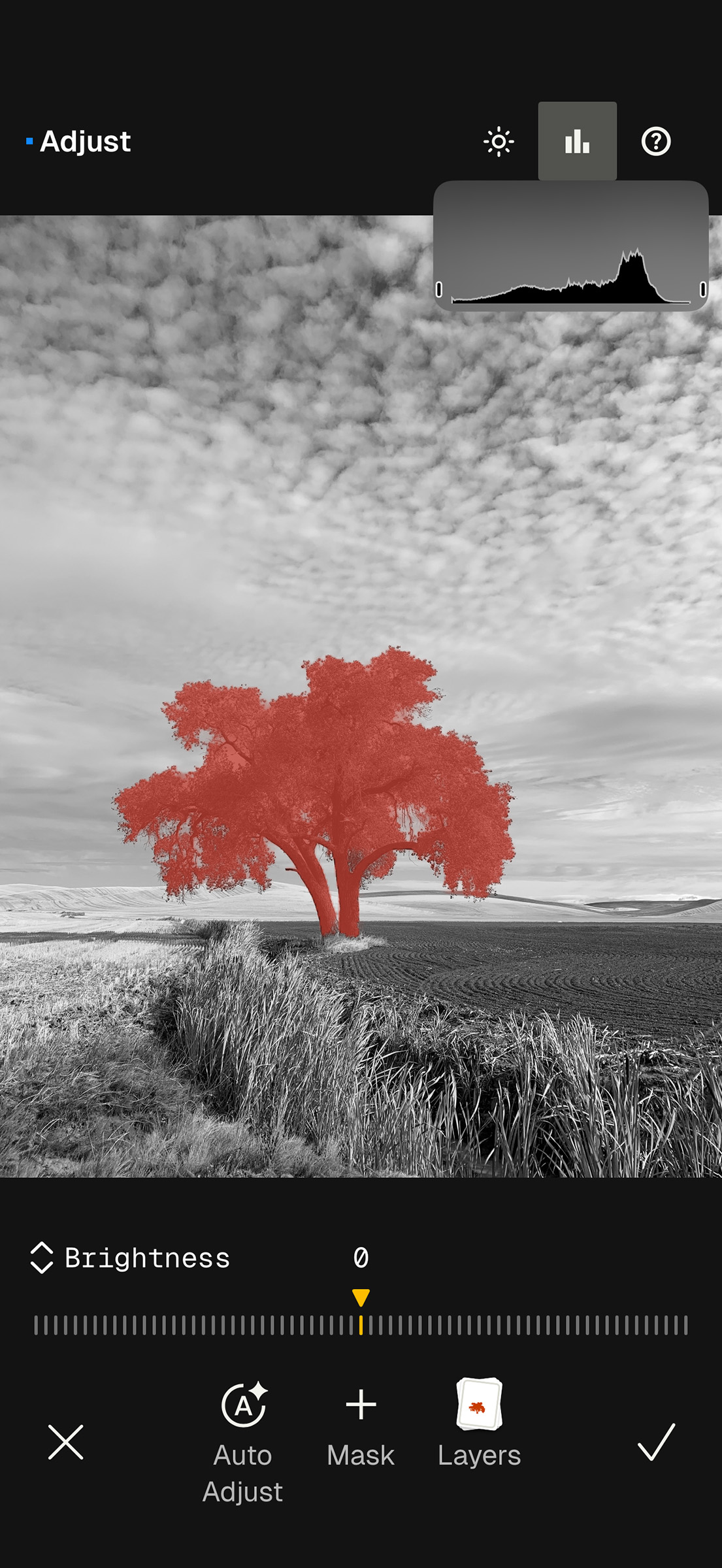
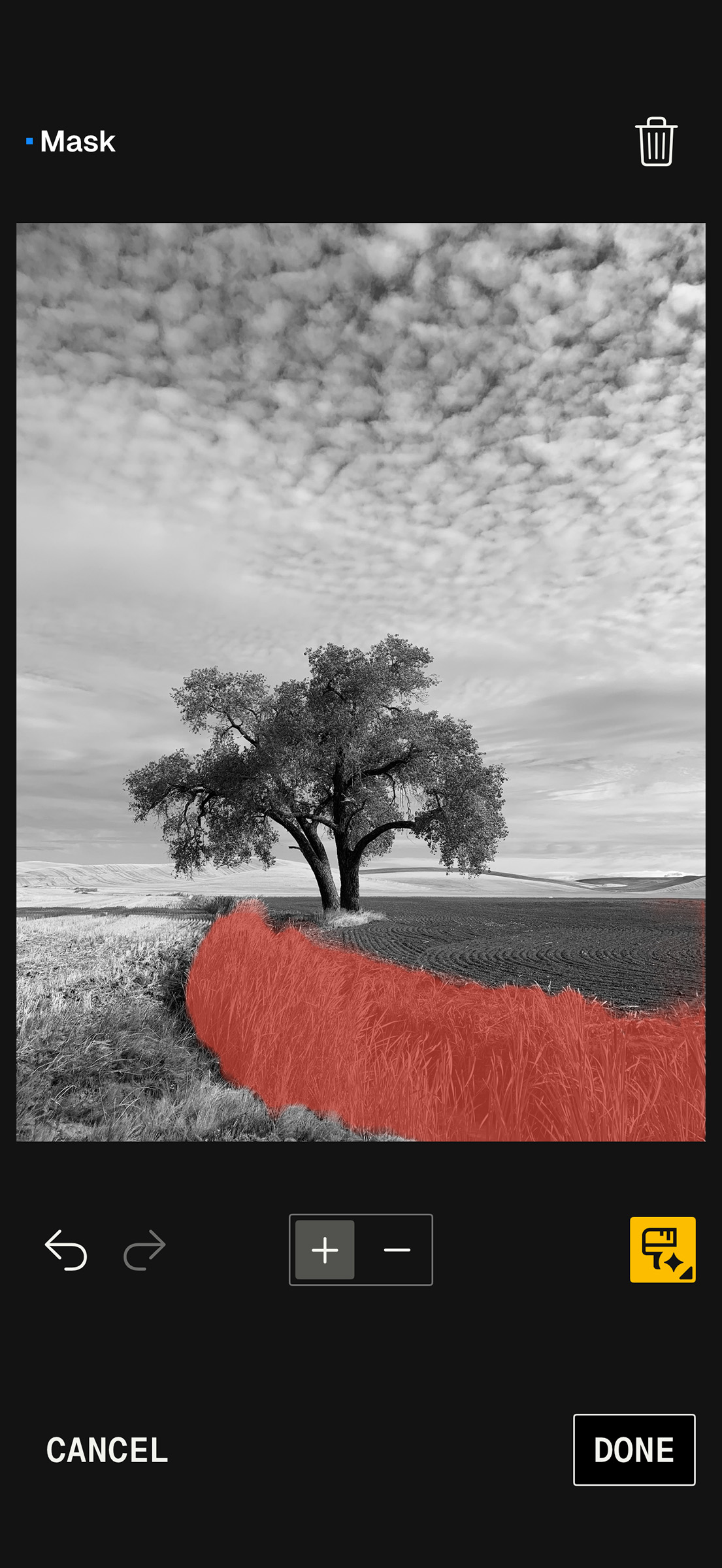
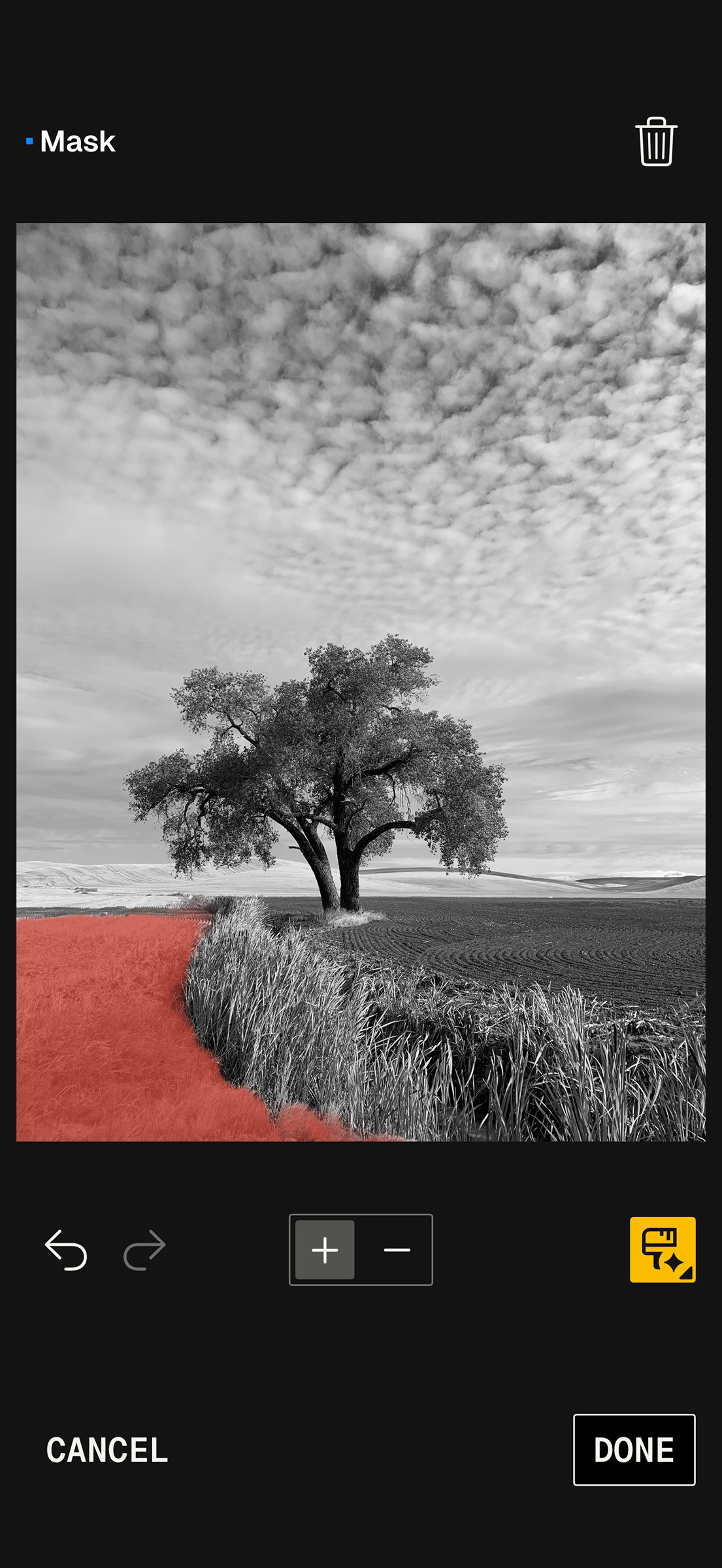
SnapSeed gives photographers a sophisticated set of tools for making high-quality edits on a mobile device. It can be quick, but it can also be thoughtful, nuanced, and precise.
The Frustrations Are Real

The recent updates have also brought some frustration. Some of Google’s interface changes have felt arbitrary. Longtime users have had to relearn actions that once felt automatic. And as with many major app updates, there have been bugs and rough edges along the way. During recent versions, some users experienced issues with RAW processing, masking, saving, and general stability. A subsequent update resolved those issues just a few days later.
That quick response from Google encourages me. For years, the concern was that Google might abandon SnapSeed or let it fall behind. The recent update activity points in a different direction. Some changes work better than others, but the overall direction is promising, as Google seems to be investing attention in this favorite app.
Why is Google’s Revised Interest in SnapSeed So Important?

There are more mobile editing choices now than ever. Lightroom Mobile is excellent. Apple Photos continues to improve. Other apps offer powerful specialty tools, and many photographers also rely on desktop applications for some work.
So why should anyone care about SnapSeed?
Because SnapSeed remains fast, approachable, deep, and free. There are no subscriptions, no ads, no watermarks, and no complicated account system standing between the photographer and the image. It works well for beginners, and it rewards experienced photographers who understand tone, color, structure, local adjustment, and visual emphasis.
It also serves several different audiences at once. A casual smartphone user can improve a photo in a few taps. A more intentional photographer can use curves, masking, selective edits, healing, RAW Develop, and export controls to build a more refined image.
In my experience, that range is rare in mobile apps.
For photographers who remember Nik Software, SnapSeed’s renewed development is especially interesting. The app still carries traces of that Nik DNA: local adjustment, visual control, and an emphasis on making the image feel finished rather than merely filtered.
A July 8 Webinar for Photographers Who Want to Catch Up
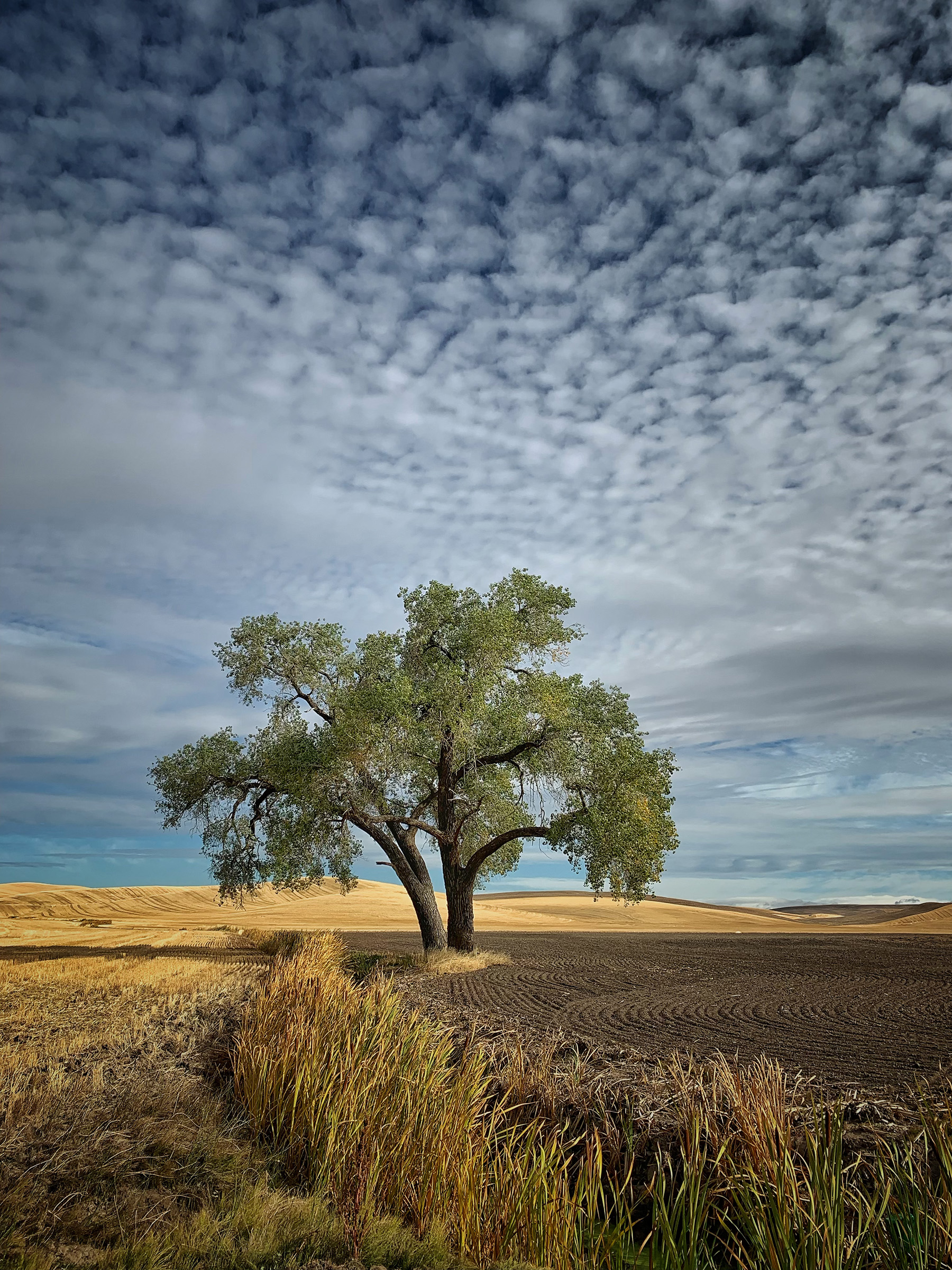
Because these changes are significant, and because they have baffled and frustrated many longtime users, I’ll be presenting a live webinar, The Magic of SnapSeed for iPhone and Android, on July 8.
- Date: July 8, 2026
- Cost: $29.99
- Title: The Magic of SnapSeed for iPhone and Android
- Register Here: https://us02web.zoom.us/webinar/register/WN_OtoDw5xzQiSH4OAprFEIAQ
All registrants receive access to the webinar recording and a PDF of my presentation slides with links to additional resources.
The webinar will focus on what has changed, familiar features that remain the same, and how photographers can use the newest version of SnapSeed effectively. I’ll demonstrate the updated workflow, the new masking options, RAW processing, and ways to use SnapSeed for quality mobile editing.
SnapSeed has had a long and unusual life: born at Nik Software, acquired by Google, loved by millions, left largely unchanged for years, and now actively updated again.
For photographers who have used it for years, those discovering it for the first time, and those who underestimated it as “just a phone app,” this is a good time to take another look.



Elevate Your Vision


Read this story and all the best stories on The Luminous Landscape
The author has made this story available to Luminous Landscape members only. Upgrade to get instant access to this story and other benefits available only to members.
Why choose us?
Luminous-Landscape is a membership site. Our website contains over 5300 articles on almost every topic, camera, lens and printer you can imagine. Our membership model is simple, just $2 a month ($24.00 USD a year). This $24 gains you access to a wealth of information including all our past and future video tutorials on such topics as Lightroom, Capture One, Printing, file management and dozens of interviews and travel videos.
- New Articles every few days
- All original content found nowhere else on the web
- No Pop Up Google Sense ads – Our advertisers are photo related
- Download/stream video to any device
- NEW videos monthly
- Top well-known photographer contributors
- Posts from industry leaders
- Speciality Photography Workshops
- Mobile device scalable
- Exclusive video interviews
- Special vendor offers for members
- Hands On Product reviews
- FREE – User Forum. One of the most read user forums on the internet
- Access to our community Buy and Sell pages; for members only.
You may also like